RubberBand Annotate
Utilities for better project management
Outcome
Turn screen captures into clear build instructions, team decisions, and actionable Jira workInnovation
Element-level, threaded discussion anchored directly to interface capturesStack
Browser Extension · Screen Annotation · Collaboration · Jira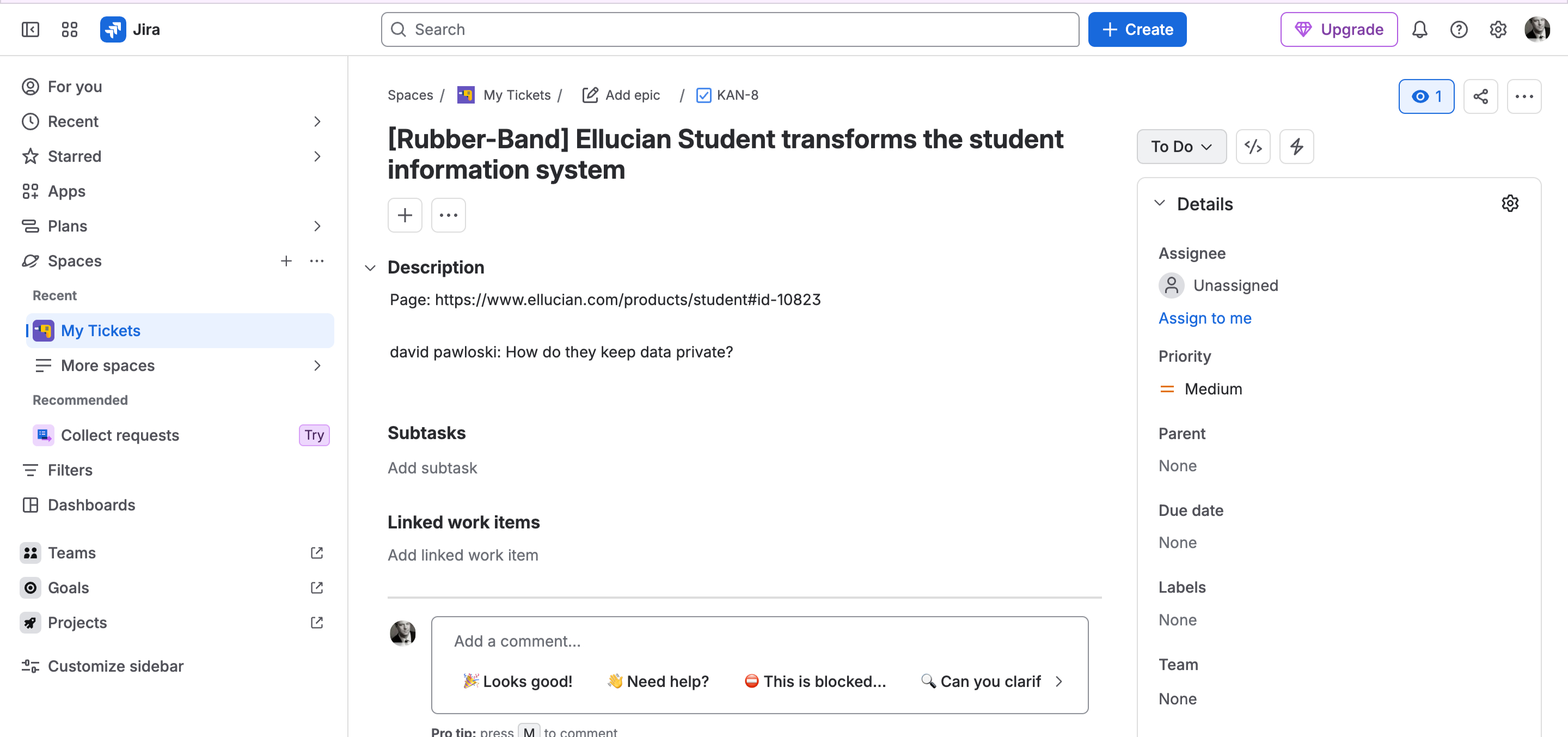
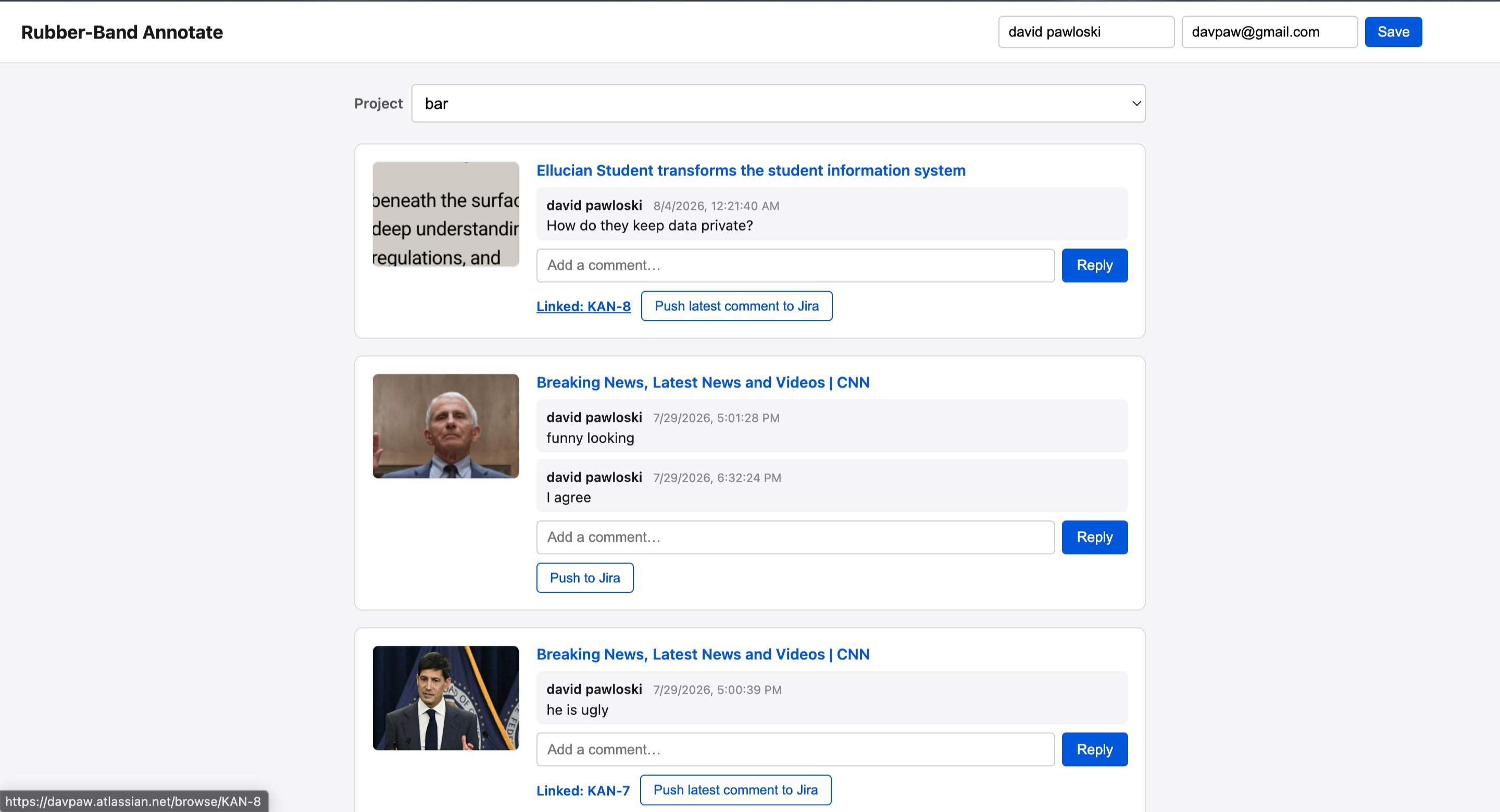
RubberBand Annotate is a browser extension for group- or project-based screen-object capture, review, and discussion. It gives teams a shared place to capture an interface, identify the exact element under review, and keep the conversation attached to that context.
Annotated UI captures can become practical instructions during implementation, carrying design intent from review through coding instead of leaving it scattered across meetings, messages, and tickets.
The Challenge
- Screen feedback loses context when it is written separately from the interface it describes
- Design decisions become ambiguous as teams move from review to implementation
- Discussions fragment across screenshots, chat, documents, and task trackers
- Work handoffs slow down when approved feedback must be manually recreated as tickets
The RubberBand Annotate Model
RubberBand Annotate treats each captured screen as a collaborative review surface.
- Capture a screen from the browser in the context of a group or project
- Select the specific screen object or interface element that needs attention
- Discuss the item in nested, threaded conversations
- Review and respond as the project lead while preserving the full context
- Publish agreed work to Jira for task creation, assignment, and management
Core Capabilities
1. Screen-Object Capture
The browser extension captures screens for the right project and makes individual UI elements addressable.
- Group- and project-based capture organization
- Element-level annotation
- Visual context retained with every comment
- UI captures that can guide implementation
2. Threaded Collaboration
Team members can collaborate on any element of a screen without collapsing the discussion into a single, flat comment stream.
- Nested discussion threads per screen element
- Clear separation between unrelated feedback
- Project-lead review and response
- A durable record of decisions and rationale
3. Jira Publishing
Once a thread is ready to become work, it can be published to Jira without losing the review history that shaped it.
- Task creation from approved threads
- Assignment and management in Jira
- A direct bridge from UI feedback to delivery
- Less duplicate transcription between review and execution
Why It Matters
Interface feedback is most useful when it remains connected to the interface—and when the resulting decisions can move cleanly into the team’s delivery workflow.
RubberBand Annotate makes screen review a structured part of delivery: capture the detail, discuss it in context, resolve it with the project lead, and turn it into managed work.