AI Router Pilot offering
Give teams AI access.
Keep control as it grows.
One governed connection layer for approved models, credentials, and budgets. Help teams build faster while keeping access and spend accountable.
Pilot offering · Sandbox uses sample data, simulated responses and costs. No real keys or provider calls.
Control who can use AI.
Give teams approved services and eligible credentials, with policy checked before each provider call.
Give every cost an owner.
Allocate usage to permitted cost centers and apply budget controls before spend occurs.
Change models. Keep clients.
Move a named connection to an approved model or provider without rewriting each application.
One request, three outcomes
What happens when a team calls AI?
The application asks for the same service each time. Choose a scenario to see how access, budget, and provider availability affect the result.
enterprise-assistant“Summarize this support conversation.” · Cost center: Engineering
- Resolve virtual serviceenterprise-assistant
- Cost-center accessPASS · engineering
- BudgetPASS · $800.00 remaining
- Credential policyadmin_allowed → organization key
- Sonnet · Anthropic200 OK
OKOrganization key selected; primary responds; Engineering receives a $0.12 charge.Illustrative spend +$0.12Illustrative decision display with fixed sample outcomes and USD costs. Selecting a scenario makes no provider call. Explore the full sandbox ↗
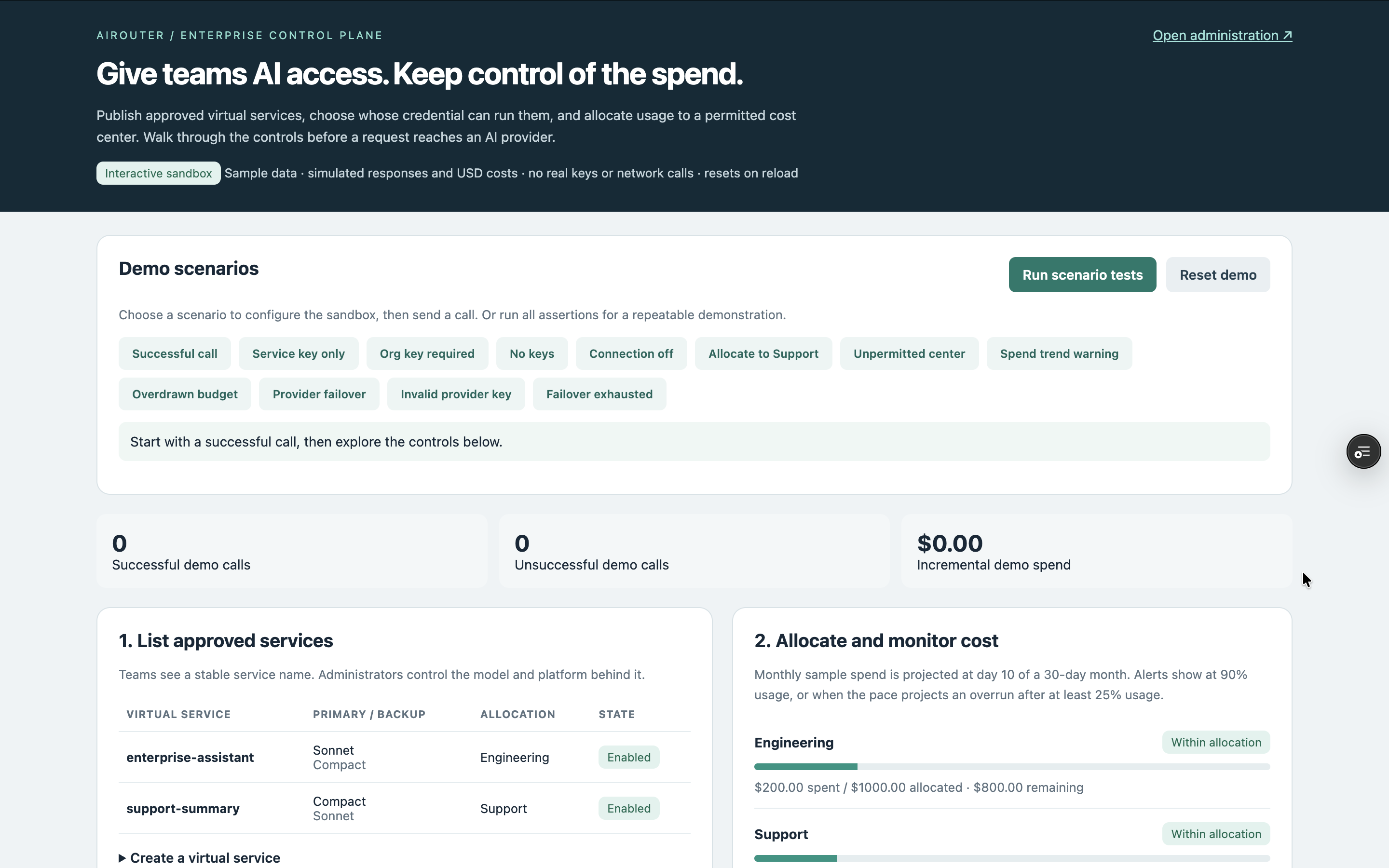
The controls, in one workspace.
Approved services, scenario tests, and cost-center allocations make the operating model tangible.
Behind the experience
One integration. A shared control point.
- 01Application
Calls a stable, named connection
- 02AI Router
Checks access and budget; selects a route
- 03Approved provider
Runs the selected model
AI Router records the decision and usage so teams can explain what ran, why, and which cost center was charged.
Go deeper where it matters.
Explore the policies and product screens behind each capability.
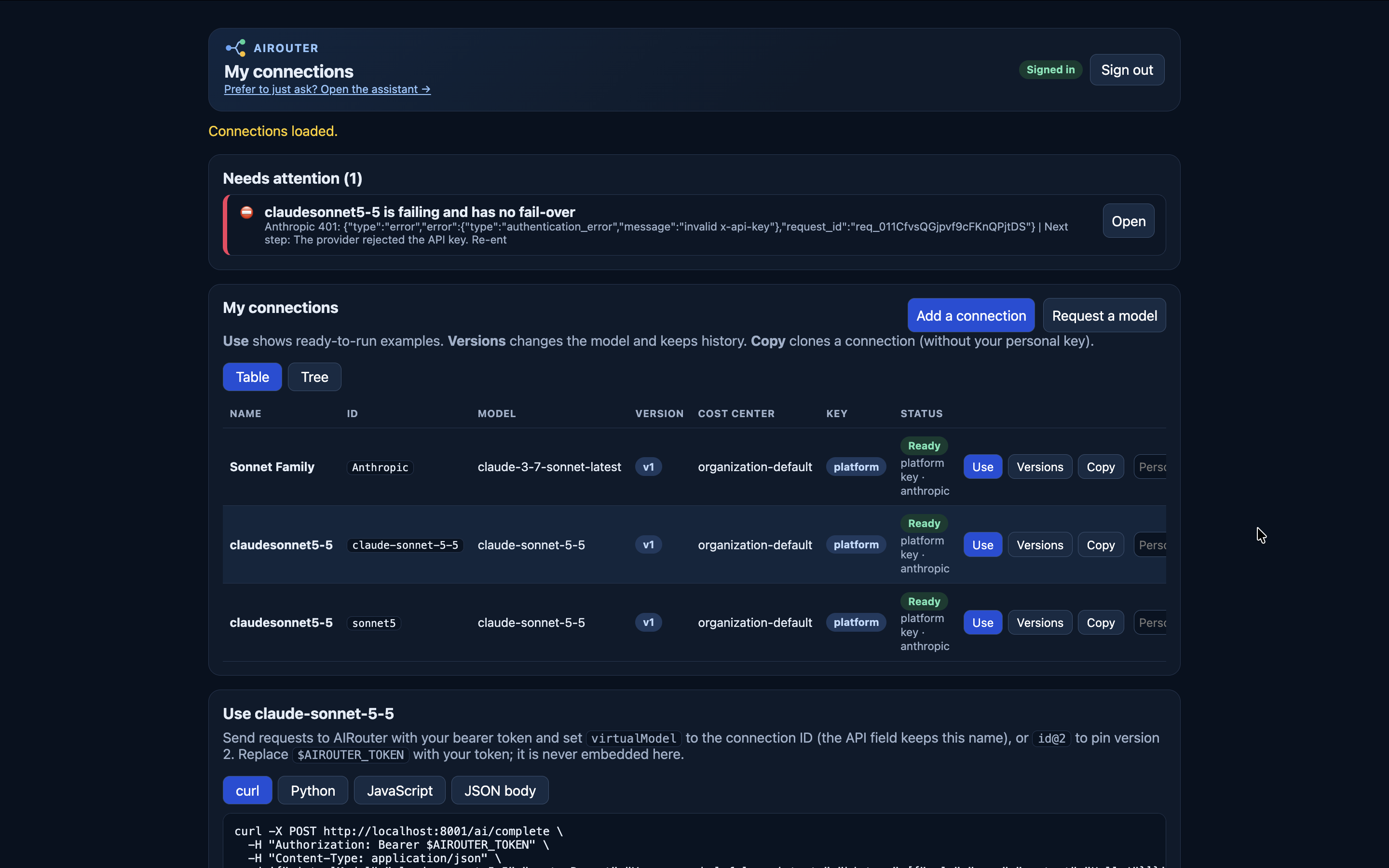
Access & credentials
Publish an approved model catalog and give applications stable, named connections. Credential policy selects an eligible organization or personal key; secrets stay in the encrypted keystore.
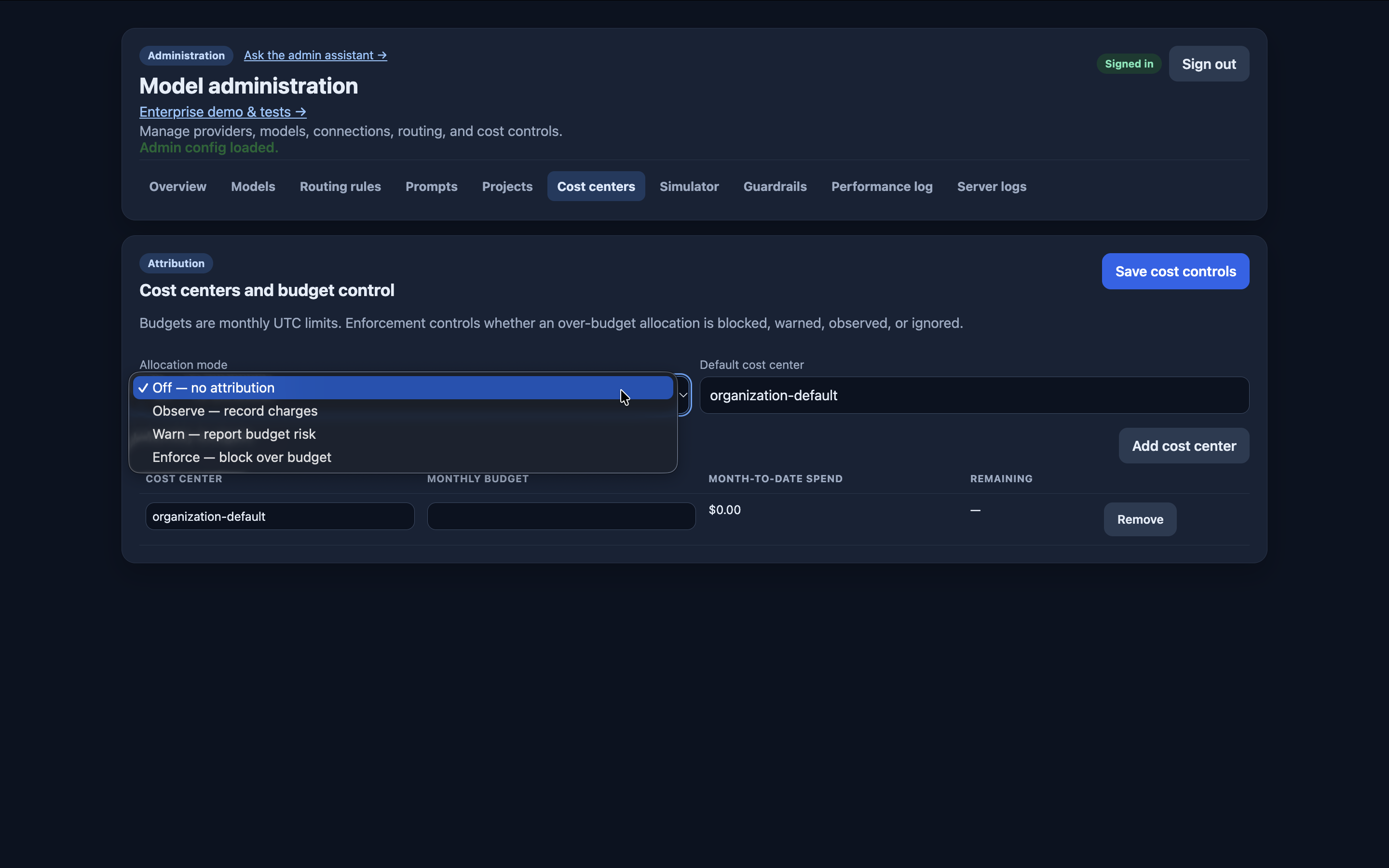
Budgets & accountability
Check permitted cost centers and enforce configured budgets, credential caps, rate limits, and token limits. Observe records usage, Warn surfaces budget risk, and Enforce blocks over-budget allocations. Catalog-rate costs are estimates; provider totals remain separate for reconciliation.
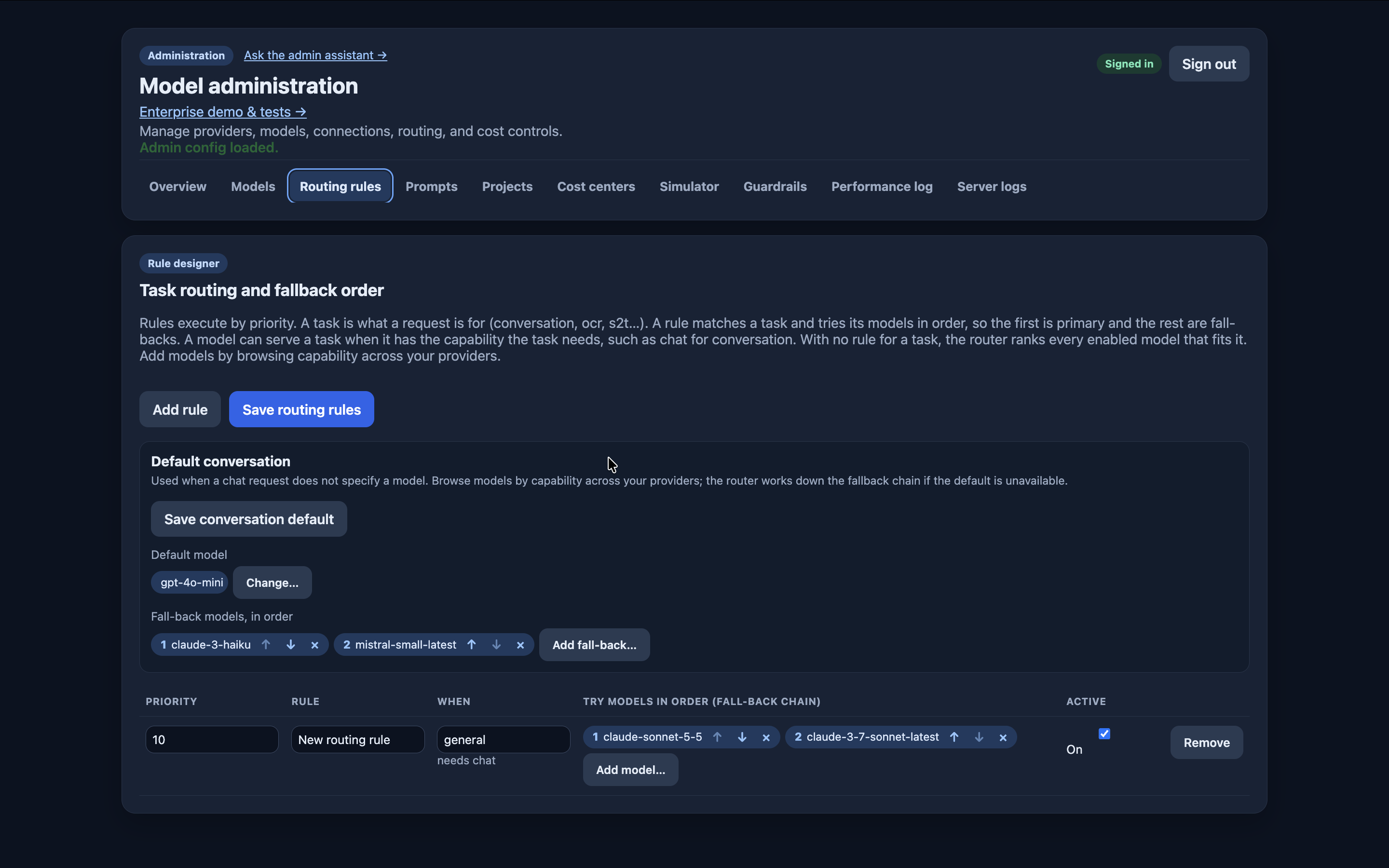
Routing & resilience
Choose an approved primary model and ordered fallbacks. Task rules account for required capabilities, and fallback decisions remain visible. A stable connection lets the implementation change while clients keep the same name.
Policy order & implementation
Identify the caller → resolve the named connection → apply credential policy → validate cost-center access and limits → route and record. The stateless Python/FastAPI service uses external state with Postgres and Redis. Denials return a specific reason, such as BUDGET_EXHAUSTED, before a provider is called.
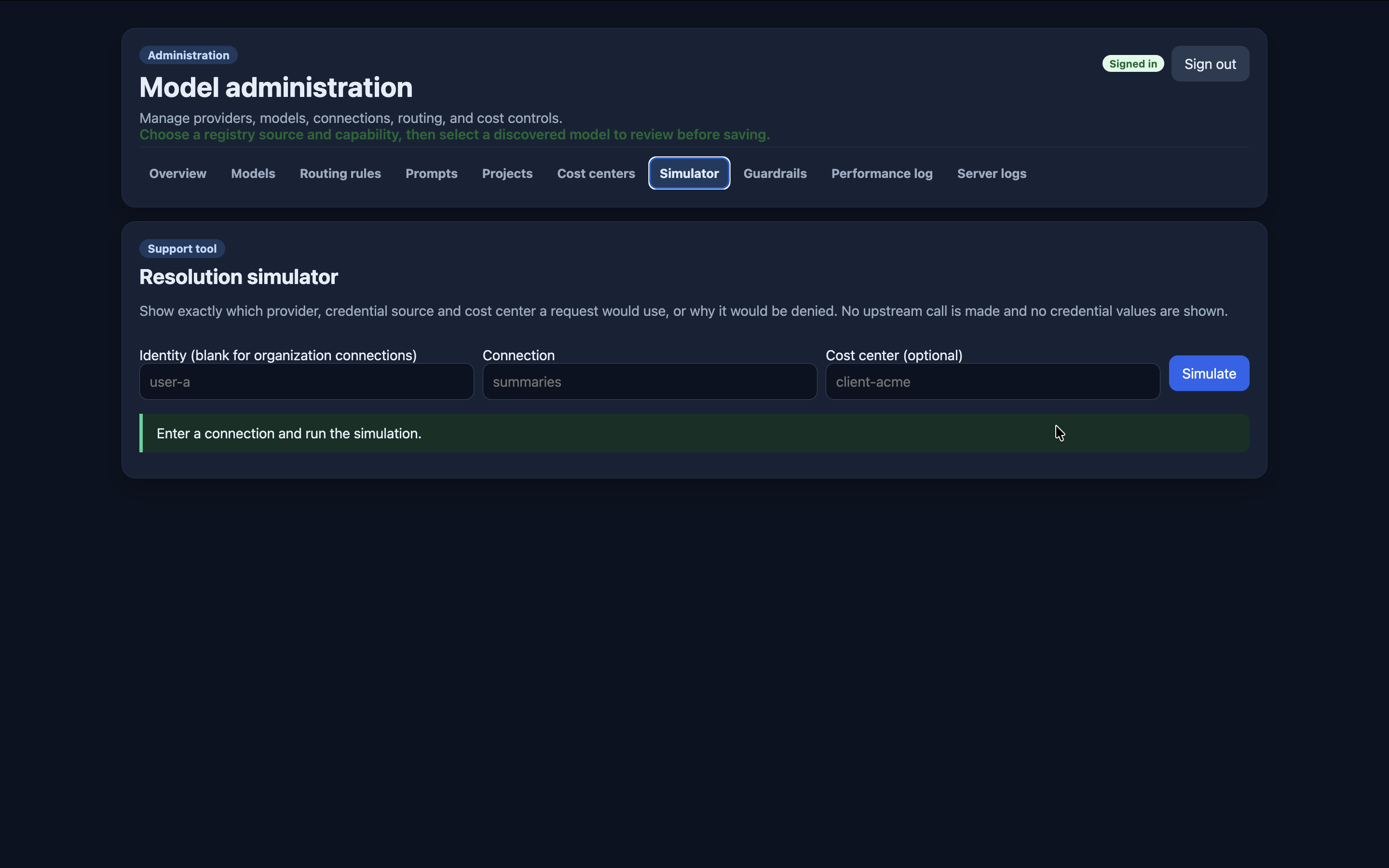
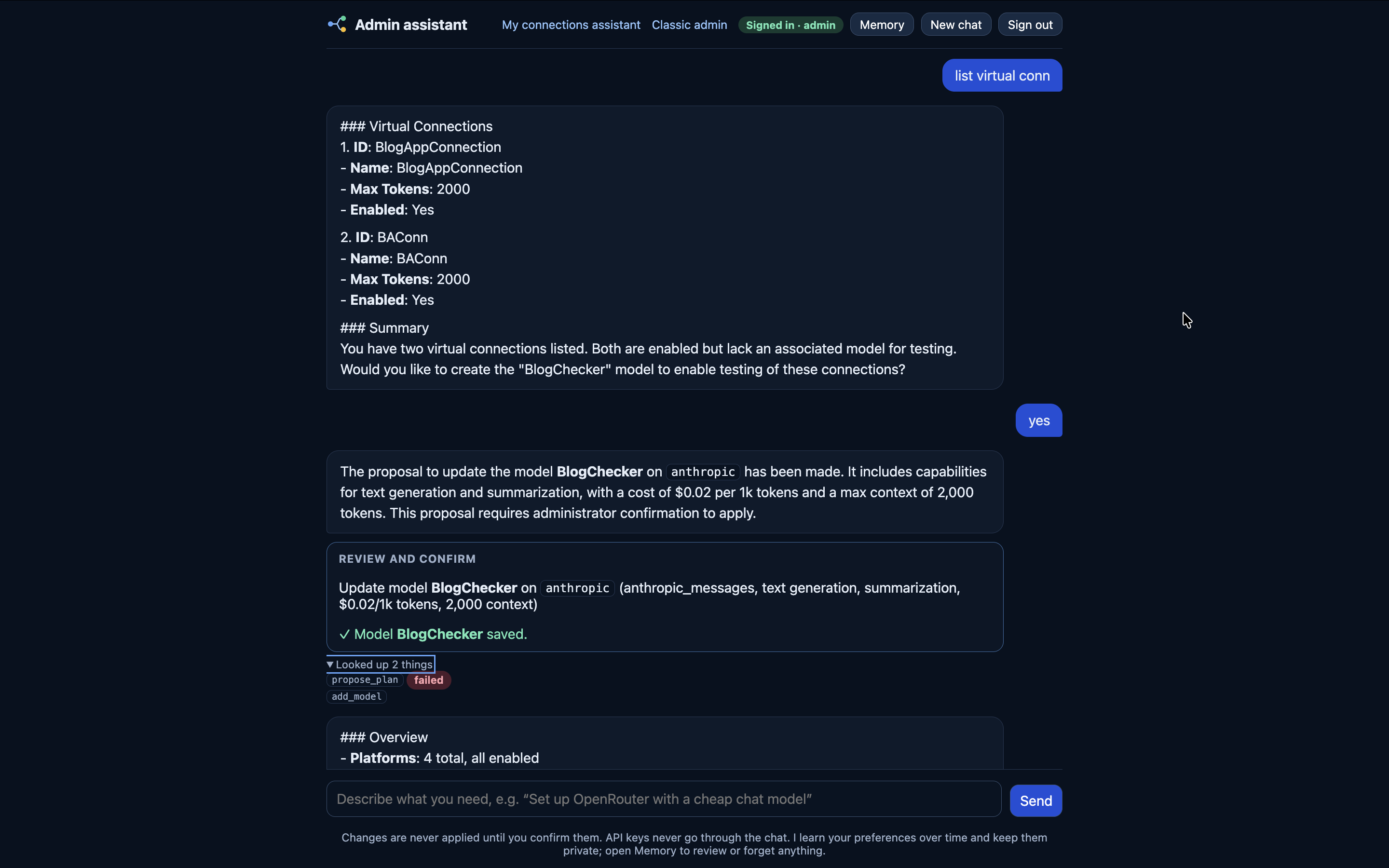
AI-assisted administration
Ask the assistant to inspect connections, diagnose failures, or propose configuration changes. Administrators review proposed changes before applying them; credentials stay out of chat.
See the controls in action.
Explore the sandbox with sample requests and simulated provider outcomes.
Open the sandbox ↗